Use n8n as the visual UI layer for your PraisonAI workflows. Two ways:
praisonai n8n open agents.yaml — one-step command (recommended)praisonai agents.yaml --n8n — exports + auto-imports via the run flag
Quick Start
Open (Recommended)
--n8n Flag
# Start n8n (one-time)
docker run -d -p 5678:5678 docker.n8n.io/n8nio/n8n

# Set API key (get one from n8n UI → Settings → API)
export N8N_API_KEY="your-api-key"

# Open your workflow in n8n
praisonai n8n open agents.yaml
praisonai agents.yaml --n8n
Every agent in your YAML becomes a node in n8n. Sequential steps are
connected automatically. The visual editor opens in your browser.
praisonai n8n open — The Simplest UX
Write your YAML workflow
name: My Research Workflow
agents:
  researcher:
    name: Researcher
    role: Research Specialist
    llm: gpt-4o-mini
  writer:
    name: Writer
    role: Content Writer
    llm: gpt-4o-mini
Open it in n8n
praisonai n8n open my-workflow.yaml
See your workflow
The n8n editor opens automatically with your workflow visualized as
connected HTTP Request nodes — one per agent.
Usage
Basic Export
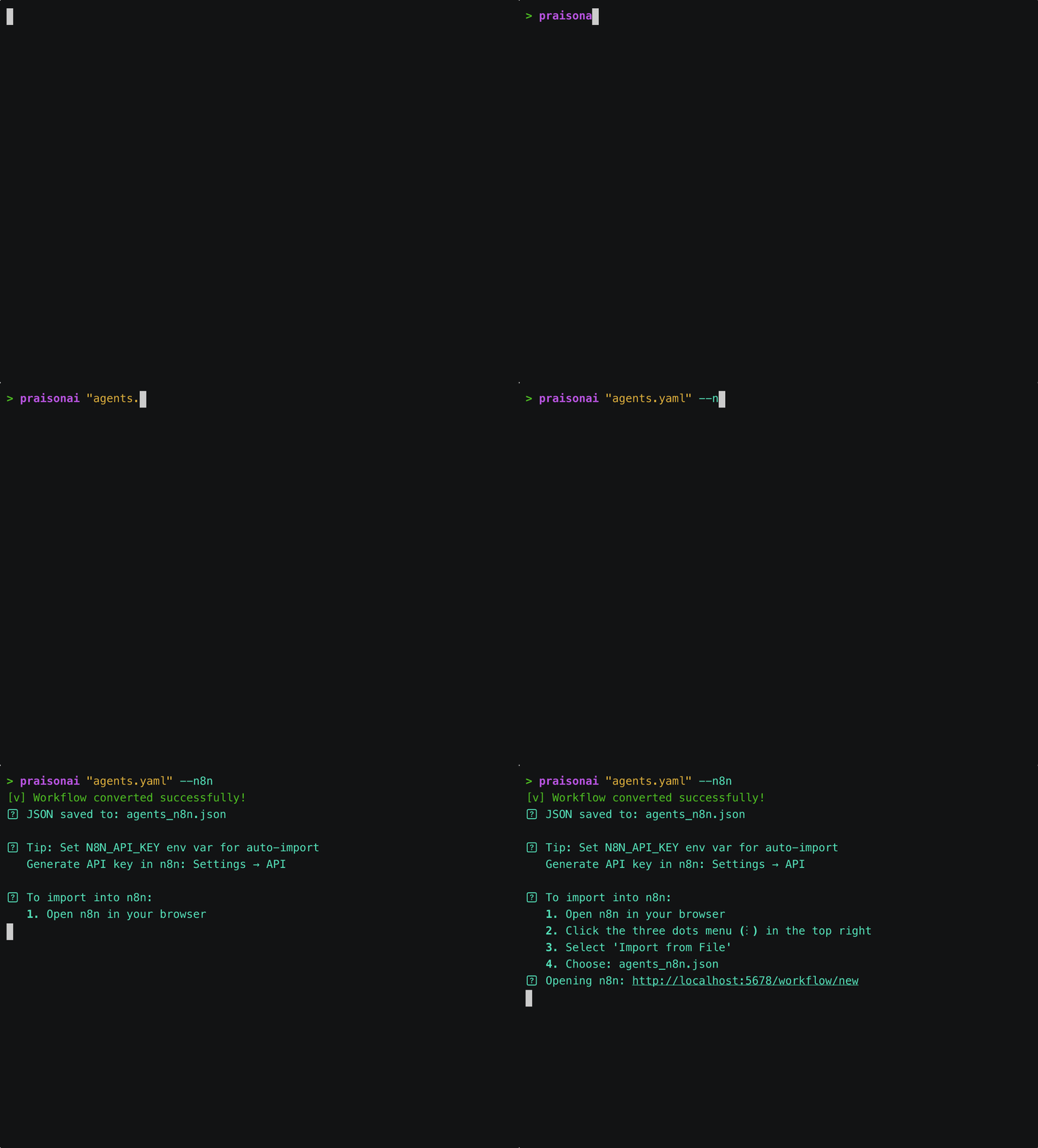
# Export workflow to n8n JSON and open in browser
praisonai agents.yaml --n8n
✅ Workflow converted successfully!
📄 JSON saved to: agents_n8n.json
🌐 Opening: http://localhost:5678/workflow/new
Auto-Import with API Key
# Set n8n API key for automatic import
export N8N_API_KEY="your-api-key"

# Export and auto-import
praisonai agents.yaml --n8n
✅ Workflow converted successfully!
📄 JSON saved to: agents_n8n.json
🚀 Workflow created in n8n!
✅ Workflow activated!

🔗 Webhook URL (to trigger workflow):
   POST http://localhost:5678/webhook/your-workflow-name
🌐 Opening: http://localhost:5678/workflow/abc123
Custom n8n URL
# Use custom n8n instance
praisonai agents.yaml --n8n --n8n-url http://n8n.example.com:5678
Custom API URL (Cloud/Tunnel)
When n8n is in the cloud and PraisonAI runs locally, use --api-url to specify a tunnel or cloud URL:
# With Cloudflare Tunnel
praisonai agents.yaml --n8n --api-url https://praisonai.yourdomain.com

# With ngrok
praisonai agents.yaml --n8n --api-url https://abc123.ngrok-free.app

# With cloud deployment
praisonai agents.yaml --n8n --api-url https://praisonai-api.railway.app
Generated Workflow Structure
The n8n workflow includes:
┌─────────────┐     ┌────────────┐     ┌────────────┐     ┌────────────┐
│   Webhook   │────▶│ Researcher │────▶│   Writer   │────▶│   Editor   │
│   Trigger   │     │            │     │            │     │            │
└─────────────┘     └────────────┘     └────────────┘     └────────────┘
                          │                  │                  │
                          ▼                  ▼                  ▼
                    /agents/researcher  /agents/writer   /agents/editor
Complete Workflow
Step 1: Start the API Server
# Terminal 1
praisonai serve agents.yaml --port 8005
Step 2: Create n8n Workflow
# Terminal 2
export N8N_API_KEY="your-api-key"
praisonai agents.yaml --n8n
Step 3: Trigger the Workflow
# Via webhook
curl -X POST "http://localhost:5678/webhook/your-workflow-name" \
  -H "Content-Type: application/json" \
  -d '{"query": "Research AI trends and write a blog post"}'
Getting n8n API Key
- Open n8n UI (http://localhost:5678)
- Go to Settings → API
- Click Create API Key
- Copy the key and set it:
export N8N_API_KEY="your-api-key"
Example agents.yaml
name: Create Movie Script About Cat in Mars
description: Research, design narrative, and write script

agents:
  researcher:
    name: Researcher
    role: Research Specialist
    goal: Research about cats and Mars for the movie
    backstory: Expert researcher with knowledge of space and animals
    llm: gpt-4o-mini

  narrative_designer:
    name: Narrative Designer
    role: Story Designer
    goal: Design the narrative structure
    backstory: Creative storyteller who crafts compelling narratives
    llm: gpt-4o-mini

  scriptwriter:
    name: Scriptwriter
    role: Script Writer
    goal: Write the final movie script
    backstory: Professional screenwriter with Hollywood experience
    llm: gpt-4o-mini
n8n Workflow Features
Webhook Trigger
The workflow uses a webhook trigger for programmatic execution:
- Path: Auto-generated from workflow name
- Method: POST
- Response Mode: Returns final agent output
Per-Agent HTTP Nodes
Each agent gets its own HTTP Request node:
| Node | Endpoint | Purpose |
|---|
| Researcher | /agents/researcher | First agent, receives webhook input |
| Narrative Designer | /agents/narrative_designer | Receives researcher output |
| Scriptwriter | /agents/scriptwriter | Receives designer output, returns final |
Data Flow
// Webhook input
{"query": "Create a movie about a cat on Mars"}

// Passed to Researcher
{"query": "Create a movie about a cat on Mars"}

// Researcher output → Narrative Designer input
{"query": "Research findings about cats and Mars..."}

// Narrative Designer output → Scriptwriter input
{"query": "Narrative structure: Act 1..."}

// Final output returned to webhook caller
{"response": "FADE IN: EXT. MARS SURFACE..."}
Use Cases
Visual Workflow
See agent execution flow in n8n’s visual editor
Conditional Logic
Add IF nodes between agents for branching
Integration
Connect to other n8n nodes (Slack, Email, etc.)
Scheduling
Use n8n’s scheduler to run workflows periodically
Advanced: Manual Import
If auto-import fails, manually import the generated JSON:
- Run
praisonai agents.yaml --n8n
- Open n8n UI
- Click Add Workflow → Import from File
- Select
agents_n8n.json
- Click Import
Troubleshooting
Connection Refused
Error: ECONNREFUSED 127.0.0.1:8005
praisonai serve agents.yaml --port 8005
API Key Invalid
Solution: Verify your n8n API key:
curl -H "X-N8N-API-KEY: $N8N_API_KEY" http://localhost:5678/api/v1/workflows
Workflow Not Activating
Solution: Manually activate in n8n UI or check webhook settings.
Command Options
| Option | Default | Description |
|---|
--n8n | - | Enable n8n export |
--n8n-url | http://localhost:5678 | n8n instance URL |
--api-url | http://127.0.0.1:8005 | PraisonAI API URL (for tunnel/cloud) |
Environment Variables
| Variable | Description |
|---|
N8N_API_KEY | n8n API key for auto-import |
Cloud/Tunnel Setup
When n8n runs in the cloud but PraisonAI runs locally, you need to expose your local API.
Option 1: Cloudflare Tunnel (Recommended)
Free, stable URLs, unlimited bandwidth.
# Install cloudflared
brew install cloudflared  # macOS
# or: https://developers.cloudflare.com/cloudflare-one/connections/connect-apps/install-and-setup/

# Authenticate
cloudflared tunnel login

# Create tunnel
cloudflared tunnel create praisonai

# Create config (~/.cloudflared/config.yml)
cat > ~/.cloudflared/config.yml << EOF
tunnel: <TUNNEL_ID>
credentials-file: ~/.cloudflared/<TUNNEL_ID>.json
ingress:
  - hostname: praisonai.yourdomain.com
    service: http://localhost:8005
  - service: http_status:404
EOF

# Run tunnel
cloudflared tunnel run praisonai
praisonai agents.yaml --n8n --api-url https://praisonai.yourdomain.com
Option 2: ngrok (Quick Testing)
Easy setup, URL changes on restart (free tier).
# Install
brew install ngrok

# Auth (one-time)
ngrok config add-authtoken <YOUR_TOKEN>

# Start tunnel
ngrok http 8005
# Output: https://abc123.ngrok-free.app
praisonai agents.yaml --n8n --api-url https://abc123.ngrok-free.app
Option 3: Deploy to Cloud
Deploy PraisonAI API to Railway, Render, or Fly.io.
Dockerfile:
FROM python:3.11-slim
WORKDIR /app
COPY agents.yaml .
RUN pip install praisonai praisonaiagents
EXPOSE 8005
CMD ["praisonai", "serve", "agents.yaml", "--host", "0.0.0.0", "--port", "8005"]
praisonai agents.yaml --n8n --api-url https://your-app.railway.app

